To download a Snapchat video you made, save it to Memories and export it to your camera roll; to save every Memory at once, request your data at accounts.snapchat.com. To download a public Spotlight video from someone else, copy its link (Share, then Copy Link) and paste it into a Snapchat video downloader, which saves it as an MP4 with sound. Snaps and chats sent to you, and friends-only Stories, cannot be downloaded by any website.
Below are the steps for each case, what the file looks like, and the rules to follow before you re-post anything. Tested on November 25, 2026.
Which way to download a Snapchat video
| The video | How to save it | What you get |
|---|---|---|
| A Snap you are making now | The Save button before you send | The original, in Memories or your camera roll |
| Snaps already in your Memories | Memories, select, Export | The original files |
| All your Memories at once | accounts.snapchat.com, My Data | A download of your whole archive |
| A public Spotlight video (anyone's) | Copy its link, paste it into the downloader | An MP4 with sound, with Snapchat's logo and the creator's username |
| Snaps or chats sent to you, friends-only Stories | Not possible | Only the sender has them |
How to save your own Snapchat videos
Your own videos are the easy case, and the original you saved is always better than a download.
- Before you send: after recording, tap the Save (download arrow) button. The Snap goes to Memories.
- To your camera roll automatically: in Settings, open Memories, then Save Button, and choose Memories & Camera Roll. This applies to Snaps you save from now on.
- From Memories: swipe up from the camera to open Memories, press and hold a Snap (or tap Select to choose several), tap Export, then Download or Save to camera roll.
How to download all your Snapchat Memories
To keep everything, not a few Snaps, use Snapchat's data download:
- Go to accounts.snapchat.com on a computer and sign in.
- Open My Data and turn on Export your Memories, or choose to export only Memories.
- Submit the request. Snapchat emails you when the archive is ready, which can take hours or days for a large one.
- Back in My Data, open your exports and download the files. The links expire, so download them soon.
This matters more since Snapchat announced paid storage plans for people with large Memories archives, as TechCrunch reported in October 2025. Exporting keeps a copy you own, whatever plan you are on.
Sources: as TechCrunch reported in October 2025
How to download a Snapchat Spotlight video
Spotlight is Snapchat's public feed of short videos. Snapchat's privacy page says Spotlight submissions are public, and each one has a page on snapchat.com that anyone can watch without an account. That is what makes a Spotlight video downloadable:
- In the Snapchat app, open the Spotlight video, tap the Share arrow and choose Copy Link. On a computer, copy the address of the video page on snapchat.com.
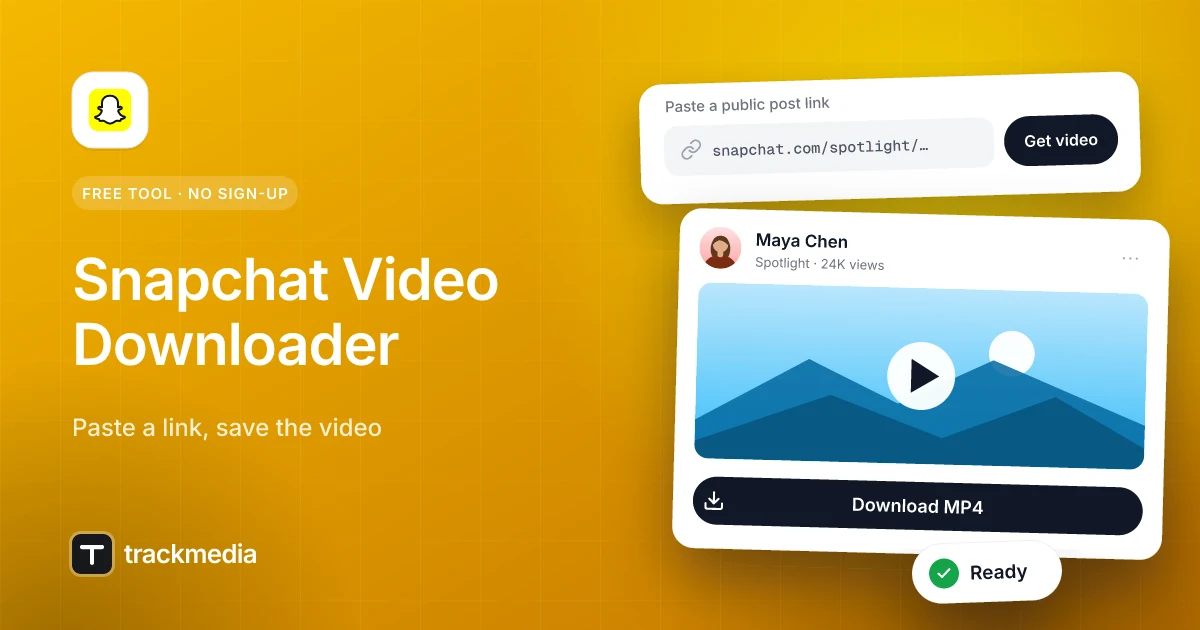
- Open the free Snapchat video downloader and paste the link.
- Click Get video, then the download button.
You get one MP4 with picture and sound, vertical, at the size Snapchat serves on the web (540×960 on the videos we tested). The tool needs no login and never asks for your Snapchat password. It accepts snapchat.com/spotlight/ links and the short snapchat.com/t/ links the app copies.
Sources: Snapchat's privacy page
Will a downloaded Snapchat video have a watermark?
A Spotlight video downloaded from the web carries Snapchat's small ghost logo and the creator's username, which move position during the video. Snapchat adds them to the version it shares, and they credit the creator. A good downloader adds nothing of its own; TrackMedia's adds no mark.
Your own Snaps saved to Memories or your camera roll are your originals. If you need a clean copy of a video you made, save it from Memories instead of downloading it from Spotlight.
What you cannot download on Snapchat
- Snaps and chats sent to you. They are private messages, not web pages. No website can reach them, and one that claims it can wants your password. Never give it.
- Friends-only Stories. They are shared with the people the sender chose, for a limited time.
- A whole profile. A profile lists many videos; download them one at a time, from each video's own link.
- Removed or region-locked videos. If snapchat.com will not play the video in a private browser window, no tool can fetch it.
If you want to keep a Snap someone sent you, ask them to send you the file or save it in the chat, where they can see that you did.
Is it legal to download Snapchat videos?
Saving your own videos is always fine. A public Spotlight video from someone else is still their work: copyright covers it, Snapchat's terms limit reusing other people's content, and the rules differ by country. Keep downloads for personal reference, or ask the creator before you re-post, and credit them when you do. This is not legal advice.
Reuse your own Snapchat videos on other networks
A vertical Snapchat video is the same 9:16 shape as a TikTok, a Reel or a Short, so one video you made can be posted everywhere. Check each network's limits in the TikTok video size guide, and write a caption for each one, as in how to cross-post on social media. TrackMedia schedules one video to all 22 networks it supports from one calendar, with a 14-day free trial.
Questions people also ask
How do you download a Snapchat video?
For your own video, save it to Memories and export it to your camera roll. For a public Spotlight video, tap Share, then Copy Link, and paste the link into a Snapchat video downloader to save it as an MP4.
Can you download someone else's Snapchat video?
Only if it is a public Spotlight video. Snaps, chats and friends-only Stories cannot be downloaded. Re-posting someone else's video needs their permission.
How do you save a Snapchat video to your camera roll?
Set Settings, Memories, Save Button to Memories & Camera Roll, then tap Save on a Snap. For Snaps already in Memories, select them and tap Export. A Spotlight video downloaded on iPhone lands in the Files app; tap Share, then Save Video, to put it in Photos.
How do you download all your Snapchat Memories at once?
Sign in at accounts.snapchat.com, open My Data, turn on Export your Memories and submit. Snapchat emails you when the archive is ready to download.
Can you download Snapchat Stories?
Your own, yes: save them from your Story or Memories. Other people's friends-only Stories, no. Public Spotlight videos can be downloaded from their link.
Does Snapchat notify someone when you download their video?
A web downloader reads the public Spotlight page without signing in, so nothing is linked to your Snapchat account. Inside the app, Snapchat does tell people when someone screenshots or saves their Snaps in chat.
Why does my downloaded Snapchat video have a logo on it?
Snapchat adds its logo and the creator's username to the Spotlight videos it shares on the web. Your own originals from Memories do not come from that shared version.
What format are downloaded Snapchat videos?
MP4, with H.264 video and AAC sound, which plays on any phone, computer and editor.