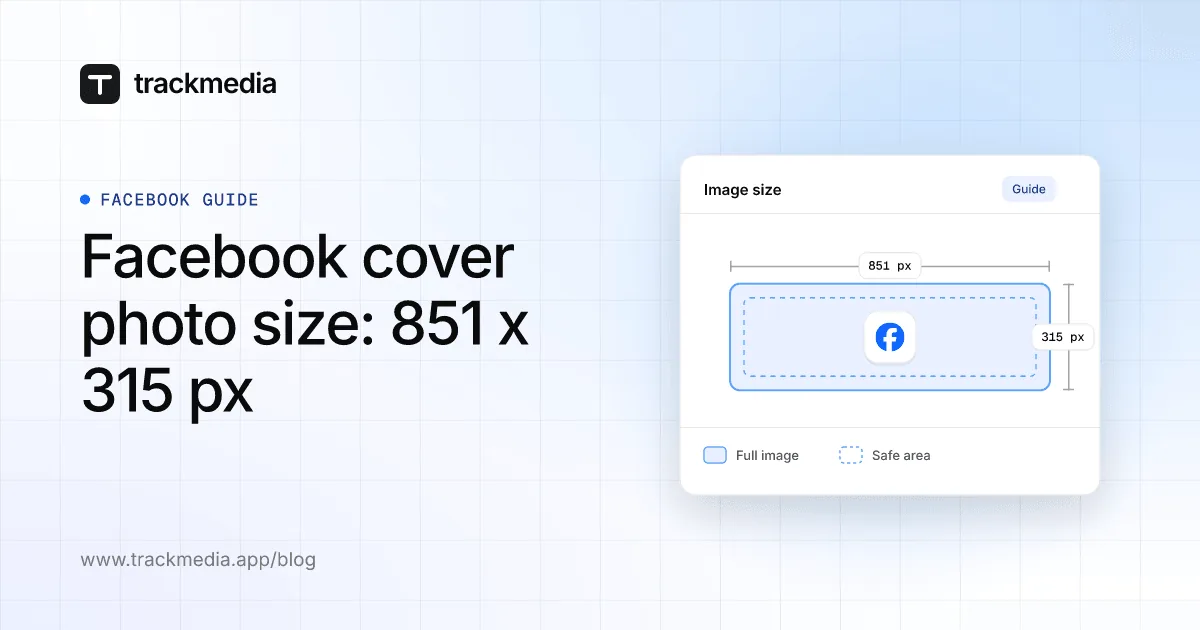
Facebook's Help Center says a Page cover photo loads fastest as an sRGB JPG that is 851 pixels wide, 315 pixels tall and under 100 kilobytes, and it must be at least 400 pixels wide and 150 pixels tall. A personal profile cover photo has a different rule: Facebook says the image has to be at least 720 pixels wide.
That split between Page and profile covers is the thing most guides skip. This guide quotes the two Facebook Help pages, read on November 4, 2026, shows how the cover is cropped on phones and why part of it is hidden, and gives the steps to change it.
What size is a Facebook Page cover photo?
The Help page Facebook Page profile picture and cover photo dimensions gives these figures for a Page:
| Item | What Facebook says |
|---|---|
| Minimum size | "Must be at least 400 pixels wide and 150 pixels tall." |
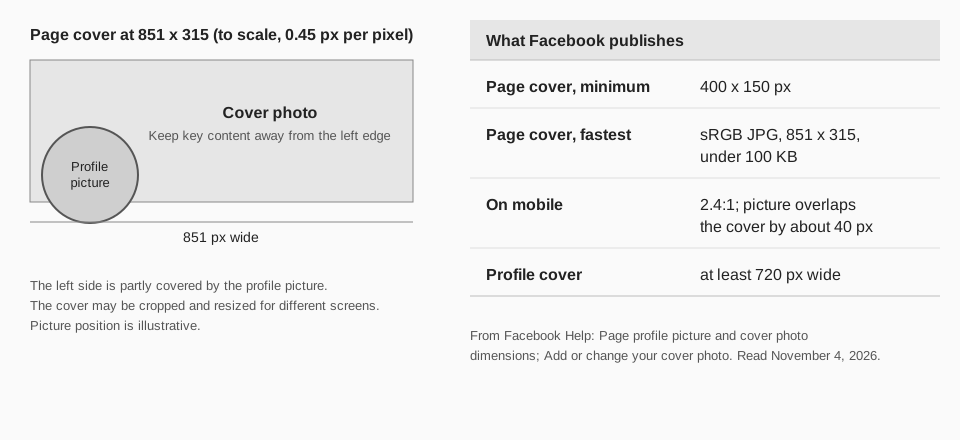
| Fastest loading | An sRGB JPG, 851 pixels wide and 315 pixels tall, under 100 kilobytes. |
| Placement | Left-aligned and full bleed. |
| Logos and text | "You may get a better result by using a PNG file." |
The page lists the aspect ratio as 16:9 for computers. Divide 851 by 315, though, and you get about 2.7. The two numbers do not describe the same shape, so use the pixel size as your working target and check the result on a screen before you rely on it.
Sources: Facebook Page profile picture and cover photo dimensions
What is the Facebook cover photo size on mobile?
Facebook lists a different shape for phones. The same page gives the aspect ratio as 2.4:1 on a mobile device, with the same 400 x 150 minimum and the same recommended 851 x 315 file. It does not publish a separate mobile pixel size, so one file has to work for both.
It also says: "The profile picture overlaps the cover photo by approximately 40 pixels on mobile devices." And for all screens: "The left side of your cover photo will be partially covered by your profile picture", and the cover "may be cropped and resized to fit different screens."
Put the part that matters toward the middle and the right. Keep faces, names and logos out of the left edge and away from the top and bottom edges.
How is a personal profile cover different from a Page cover?
Facebook's help article Add or change your cover photo on Facebook says only: "Your cover image has to be at least 720 pixels wide." It does not publish a height, a file size or a recommended file for profiles.
So the two covers do not share one spec. If you manage both a profile and a Page, check each against its own rule rather than reusing one file for both.
Sources: Add or change your cover photo on Facebook
How do you change your Facebook cover photo?
Personal profile
Facebook's page gives one set of steps and does not separate computer from phone:
- Click your profile picture in the top right of Facebook, then click your name to go to your profile.
- Click Edit cover photo in the bottom right of your cover photo.
- Click Choose cover photo. If you have no cover photo yet, click Upload Photo.
- Click Upload Photo to use a file from your computer, or Select Photo to pick one from your Facebook albums.
- Drag the photo up or down to reposition it.
- Click Save Changes.
Facebook Page
The Page article, Add or change your Facebook Page's cover photo, lists these steps for a computer:
- Click your profile photo in the top right and switch into the Page you want to edit.
- Click your Page's name in the left menu.
- Click Edit cover photo in the bottom right of the cover photo.
- Upload a photo from your computer or select one you already uploaded to the Page.
- Drag the photo up or down to reposition it, then click Save changes.
The article also says all cover photos are public, so anyone who visits your Page can see yours. That Page article gives no pixel sizes; they are on the dimensions page above.
Sources: Add or change your Facebook Page's cover photo
Why is my Facebook cover photo cropped or blurry?
- Your profile picture covers the left side. Facebook says it will "partially" cover it, and by about 40 pixels on mobile.
- Phones and computers use different shapes. The mobile ratio is 2.4:1. Keep what matters in the center and check both views after you save.
- The file is near the minimum. A cover close to 400 x 150 has to be stretched, which softens it. Use 851 x 315 or larger.
- The file is heavy or in an odd color mode. Facebook's fastest-loading recommendation is an sRGB JPG under 100 KB. A very large file can load slowly.
- Text looks fuzzy. For a cover with a logo or text, Facebook suggests a PNG may look better than a JPG.
How TrackMedia fits your Facebook Page
TrackMedia publishes to your Facebook Pages. You write a post once in the composer, attach photos or video, and publish or schedule it to a Page, next to your other networks. Posts can carry a first comment and a link preview, and one connection covers every Page you administer.
TrackMedia reads each Page's picture to show beside the connected account. Your Page's cover photo is changed in Facebook, with the steps above. TrackMedia publishes to Pages, not personal profiles. To plan and schedule your Facebook Page posts with TrackMedia, connect the Page and compose as usual. For feed images, see Facebook post image size, and for the picture on the Page, Facebook profile picture size.
Questions people also ask
What is the best Facebook cover photo size?
For a Page, Facebook's fastest-loading recommendation is an sRGB JPG, 851 x 315 pixels and under 100 KB. Keep the minimum of 400 x 150 in mind as the floor.
What size is a Facebook cover photo for a personal profile?
Facebook says the image has to be at least 720 pixels wide. It publishes no height or file size for profiles.
Why does my Facebook cover photo look different on my phone?
Phones show the cover at a 2.4:1 ratio and the profile picture overlaps it by about 40 pixels, so the crop differs from a computer.
What is the Facebook event cover photo size?
Facebook's event help page gives no size at all. See our guide to Facebook event cover photo size for what it does say.
Now that your cover is set, schedule a Facebook post or start free with TrackMedia.
How we checked this
We read these Facebook Help Center pages on November 4, 2026.
- "Facebook Page profile picture and cover photo dimensions" (facebook.com/help/125379114252045): every pixel size, ratio, overlap and cropping statement above.
- "Add or change your cover photo on Facebook" (facebook.com/help/220070894714080): the profile steps and the 720 pixel minimum.
- "Add or change your Facebook Page's cover photo" (facebook.com/help/333543230019115): the Page steps and the note that covers are public.
- TrackMedia's own code for its Facebook connector, for the statements about Pages, first comments and link previews.
The dimensions page lists the computer aspect ratio as 16:9 next to an 851 x 315 file, which are not the same shape, as noted above. We repeat both as printed.