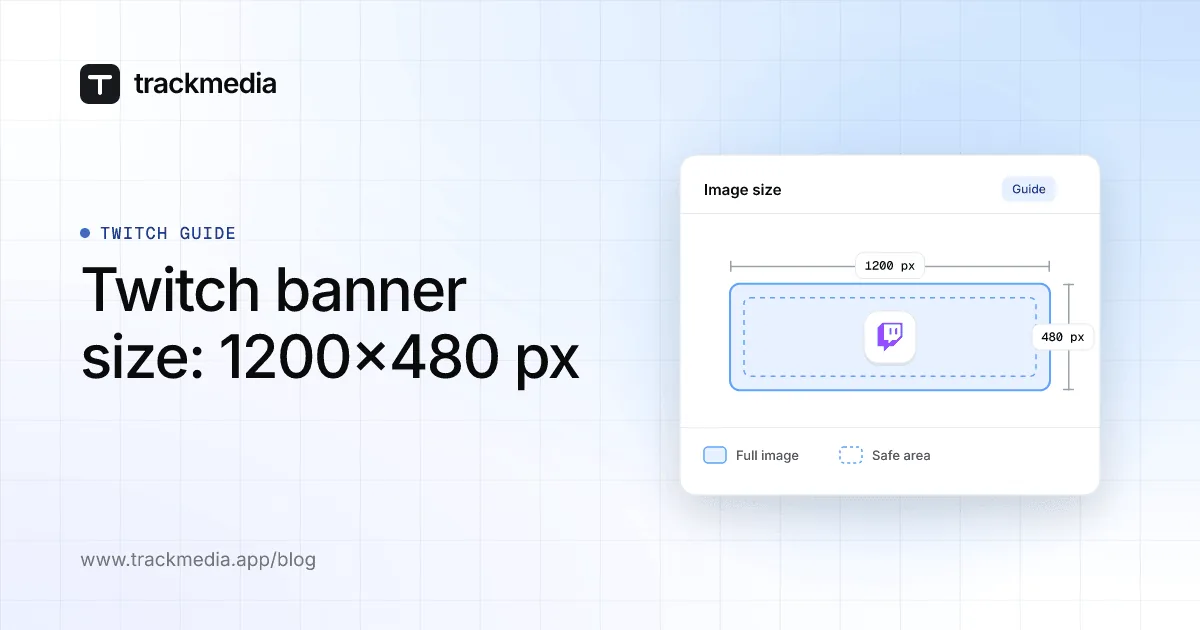
The recommended Twitch banner size is 1200x480 pixels. Twitch's Help page names no file type or file size limit for the banner itself; it does give limits for the profile picture, which must be JPEG, PNG or GIF and cannot exceed 10MB.
This guide uses Twitch's Channel Page Setup Help page, read on November 4, 2026. It covers what the page says about the profile banner, the profile picture and the video player banner, the steps to upload each, why a banner looks stretched, and what Twitch does not publish.
Sources: Channel Page Setup
What size is a Twitch banner?
Twitch's page says: "The recommended size for a profile banner is 1200x480px." It then explains how the image is treated: "Twitch pages (and your banner art) scale based on the width of each user's browser window. Images shorter or taller than 480px will be scaled to 480px high."
The page also warns that images "will also be stretched if a user's browser window is open wider than the width of the image." Its advice follows: "To ensure a consistent look across all monitor resolutions, it is best to make your image as wide as possible and concentrate the graphics on the left."
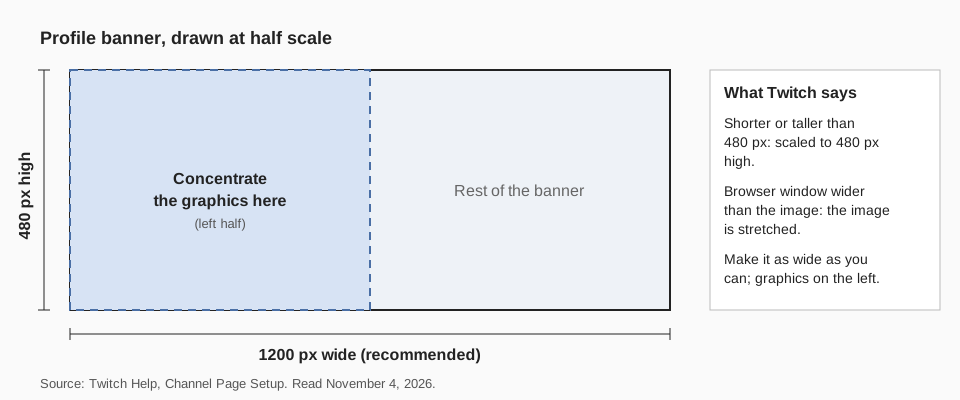
In practice, that means 1200x480 is a floor to design to, not a fixed frame. A wider image is allowed, and Twitch recommends it, but the page gives no maximum width or aspect ratio.
What size is a Twitch profile picture?
Twitch does not publish a pixel size for the profile picture on this page. It gives only the file rule: "Must be JPEG, PNG, or GIF and cannot exceed 10MB."
Because GIF is on the list, the page allows a GIF as a profile picture. It does not say whether an animated GIF plays, so check the result after you upload. A square image is the safe shape for an avatar, but that is our suggestion, not a Twitch statement.
What about the video player banner?
The same page describes a separate video player banner, which "will appear when your channel is offline." The page says: "Animated video player banners are not natively supported on Twitch." It states no pixel size, file type or file size for this image.
The profile banner and the video player banner are different images in different places, so the 1200x480 recommendation is written for the profile banner only. Twitch does not say what size to use for the other one.
One thing to watch: in the "Upload a Video Player Banner" section, the page repeats the accent color steps instead of the upload steps, so it does not show the exact button for that upload. It does say that to delete a banner you click the trash icon next to Update.
How to upload a Twitch profile banner or profile picture
Twitch gives one path for both images, from a computer. These are its steps:
- Open Creator Dashboard. Click your profile icon in the upper right and choose Creator Dashboard from the drop-down menu.
- Go to Settings, then Channel in the side menu, and select the Brand tab.
- For the profile picture, click Add Profile Picture under the Profile Picture heading and upload an image from your computer.
- For the profile banner, click Update under the Profile Banner heading. An Upload a Photo pop-up lets you pick an image from your computer.
The page describes only the computer steps. It does not give separate iPhone or Android steps for these uploads, so we do not either.
Why does my Twitch banner look stretched or cut off?
The page points to a few causes, all about width and height:
- The image is narrower than the viewer's window. Twitch says it stretches the image in a window wider than the image. Upload a wider file, as wide as you can.
- The image is not 480 pixels high. Twitch scales any image shorter or taller than 480px to 480px high, which changes how your artwork looks.
- Key art sits on the right. The page advises concentrating the graphics on the left, because the width changes with each viewer's window.
- You are expecting an animated banner. Animated video player banners are not natively supported.
Twitch does not say how it crops a very wide banner, so view your channel in a narrow and a wide browser window after you save. If the upload does not go through, check the one limit the page states: a profile picture must be JPEG, PNG or GIF and no larger than 10MB.
How to promote your Twitch channel with TrackMedia
TrackMedia publishes your announcements to the networks where your audience already is: Bluesky, LinkedIn, Instagram, Threads, TikTok, YouTube, Mastodon, X, Facebook, Pinterest, Reddit, Telegram, Discord and more, 21 in all, on every plan. You write once in the composer and TrackMedia fits a version to each network, with preflight checks before anything goes out.
Use that for the posts around your channel: a stream-day announcement, a new banner reveal, a highlight clip or a schedule update. Put them in the calendar and posting queues, add a tracked link with UTM tags, and see clicks per post and per network afterward. The guide to managing multiple accounts shows how to keep them in one place.
You change the banner and profile picture in Twitch itself, in the Brand tab described above. Twitch's page also lets you list up to 5 social links on your channel profile, which is a natural place to point viewers to the accounts you post from.
The Free plan covers 15 posts a month across 10 accounts, with no card. Start free with TrackMedia.
Questions people also ask
What size is a Twitch banner image?
1200x480 pixels is the recommended size for the profile banner. Twitch scales images shorter or taller than 480px to 480px high and stretches images that are narrower than a viewer's window.
What is the Twitch banner file size limit?
The Channel Page Setup page states no file size limit or file type for the profile banner. It states 10MB and JPEG, PNG or GIF for the profile picture only.
What is the Twitch offline banner size?
Twitch does not publish one. Its page says the video player banner appears when your channel is offline and that animated versions are not natively supported, with no dimensions given.
Can I use the same banner on other networks?
You can reuse the artwork, but each network sets its own size, so resize it. For Bluesky, see Bluesky banner and profile image size. Guides for YouTube profile picture size and Twitter banner size cover two more.
How we checked this
We read Twitch's Channel Page Setup Help page in a browser on November 4, 2026, and copied the quoted sentences and menu labels from it. Twitch changes its pages, so check the live page if a label looks different. We used no third-party size guides.
The page gives no pixel size for the profile picture or the video player banner, no file limits for either banner, and no phone steps, so this guide states none. We did not test uploads on a live channel.