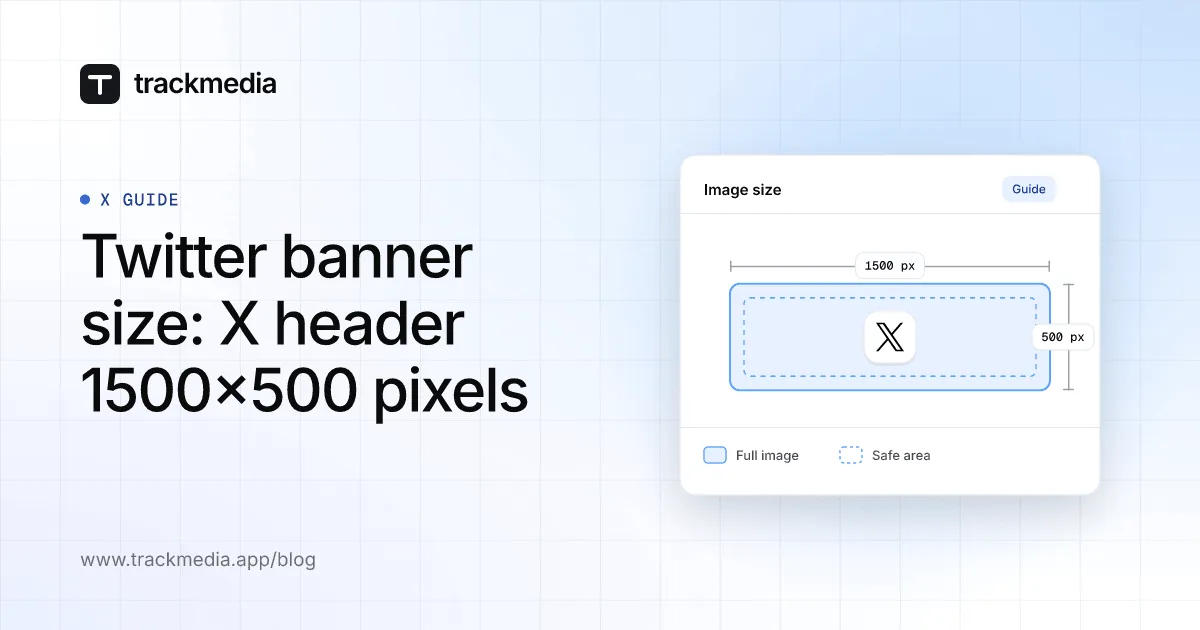
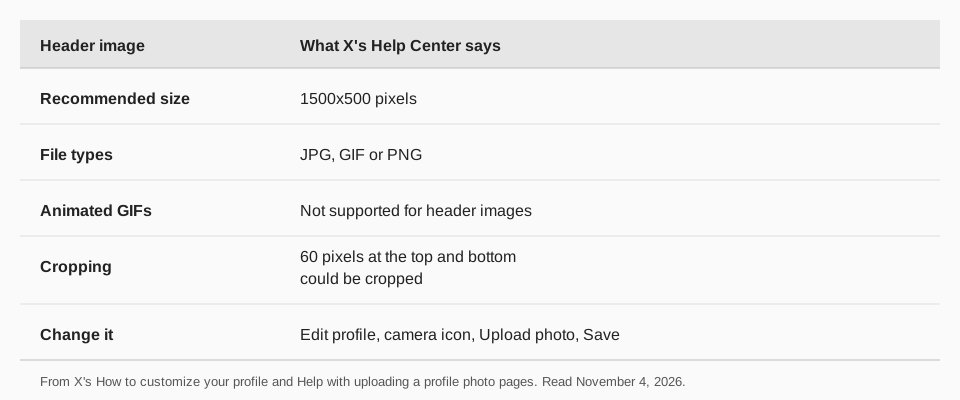
The Twitter banner size, which X (formerly Twitter) calls the header photo, is 1500x500 pixels. X's Help Center says the header photo, "also known as a 'banner'", has recommended dimensions of 1500x500 pixels, in JPG, GIF or PNG, and that animated GIFs are not supported.
This guide covers the Twitter header size, which parts of the image can be cropped, how to change it, and why an upload fails. We read X's pages on November 4, 2026. For the round profile photo, see Twitter profile picture size.
What is the Twitter banner size?
X's How to customize your profile page lists the header photo among the things you can edit and says: "recommended dimensions are 1500x500 pixels". That is a 3:1 shape. The page calls it a recommendation, so it is not a hard limit.
The size answers the question "what is the X header size" as well: Twitter header size and X header size are the same image under two names.
Sources: How to customize your profile
Which parts of the X header get cropped?
X's page Help with uploading a profile photo answers this under "Are parts of your header image being cropped?". It says that with the recommended dimensions, cropping is most likely because of the way these images are displayed on different monitor sizes and in different browsers, and that "60 pixels on the top and bottom could be cropped".
So keep text and faces away from the top 60 and bottom 60 pixels of a 1500x500 image. That leaves a safe band in the middle, roughly 380 pixels tall; this is our arithmetic from X's 60-pixel figure, not a number X gives. The page does not describe how the banner sits behind your profile photo, so open your profile after you save and look.
Sources: Help with uploading a profile photo
What file types and file size does the header allow?
X's customize page says: "Photos can be in any of the following formats: JPG, GIF, or PNG." It adds that X does not support animated GIFs for profile or header images.
The upload help page gives a 2MB maximum for profile photos. It states that limit for profile photos only. The pages we read give no file size limit for the header, so we do not state one. Keeping a header as a smaller PNG or JPG is a safe habit, but that advice is ours.
How to change your X header photo
X's customize page gives these steps, the same for x.com and the iOS and Android apps:
- Sign in to x.com or open your X app (iOS or Android).
- Go to your profile.
- Click or tap the Edit profile button. Header photo is the first item you can edit.
- Click or tap the camera icon and select Upload photo (or Remove to take it off).
- Click or tap Save.
The upload help page adds one step: make sure you click Apply, because your image will not save until you do. It also says you must be on x.com or the official X app for iOS or Android to upload.
Why won't my X header upload?
The upload help page lists what to check:
- Where you are. Use x.com or the official iOS or Android app.
- File type. JPEG, GIF or PNG. It also says profile photos with nudity will be removed.
- Dimensions. Recommended 1500x500 for header images.
- Browser. Update it or try another one.
- Apply. Click Apply, or the image does not save.
The page also suggests trying one of the header images from X's gallery, which are sized correctly, and using one as a template to resize your own. It says the first-time profile setup hides the display name until you have both a profile and a header photo uploaded.
TrackMedia and your X header
TrackMedia does not change your X header. We read its X connector on November 4, 2026: it publishes posts, and it reads your profile picture link when you connect an account, and it has no call to set a header or a profile picture. You update the banner on X, then use TrackMedia for what it does for X: scheduling posts, threads and media, and showing Likes, Replies, Reposts and impressions.
For images inside posts, see X image size and aspect ratio. For other networks, see LinkedIn banner size, YouTube banner size, Facebook cover photo size and Bluesky banner and profile image size. To plan posts across 21 networks, start free with TrackMedia.
Questions people also ask
What is the Twitter header size?
1500x500 pixels is the recommended size on X's page. Header and banner are the same image.
What ratio is the X header?
1500x500 works out to 3:1. X's pages state the pixel size and do not name a ratio.
Can the banner be a GIF?
A GIF file is accepted, but X says it does not support animated GIFs for profile or header images.
Can TrackMedia change my banner?
No. Change it in the X app or on x.com, using the steps above.
How we checked this
We opened each X page below in a browser on November 4, 2026 and copied the numbers and labels. TrackMedia's behavior comes from reading its X connector the same day. We did not upload a test image on a live account, and X changes its pages, so check the live page if a number looks different.
- How to customize your profile (X Help Center): Edit profile steps, 1500x500 header, JPG, GIF or PNG, no animated GIFs.
- Help with uploading a profile photo (X Help Center): upload checks, 60-pixel cropping note, Apply.
What we could not verify: a file size limit for header images, and exactly how the banner is drawn behind the profile photo on each device.