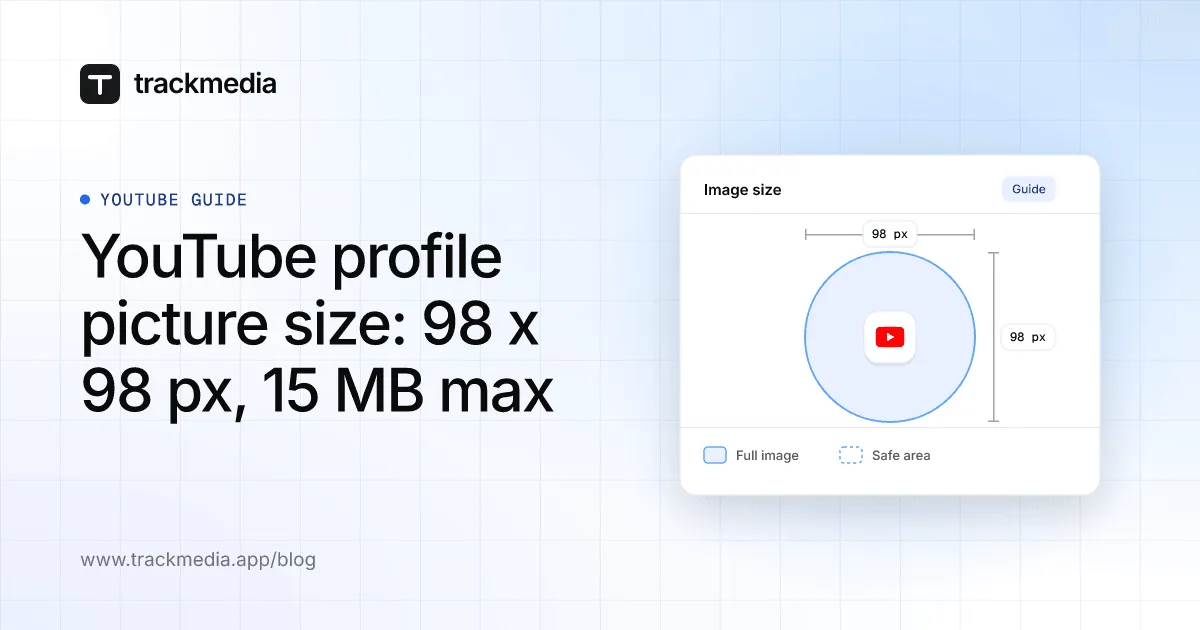
The YouTube profile picture size is 98 x 98 pixels: YouTube's Help Center says the image must be one "that renders at 98 X 98 px". The file must be a JPG, GIF, BMP or PNG (no animated GIFs) and "should not exceed 15 MB".
This guide gives those numbers, the steps to change your picture on a computer, Android and iPhone, and what YouTube does not say. We read the page on November 4, 2026, and use no third-party size guides.
What size is a YouTube profile picture?
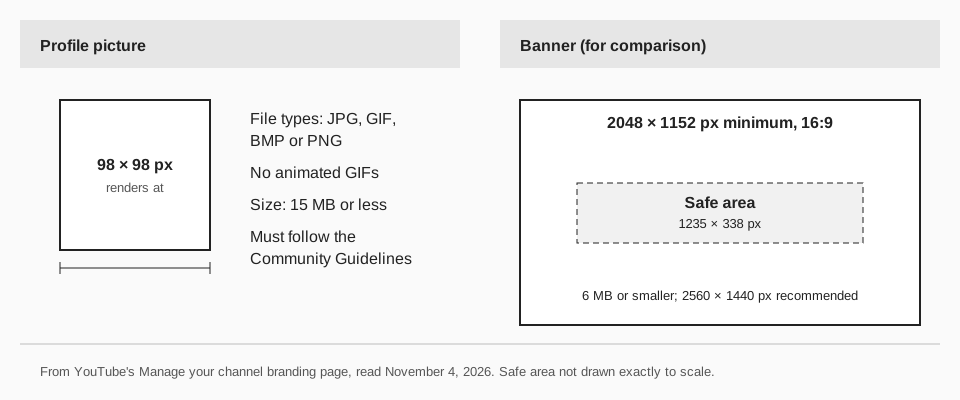
YouTube's Manage your channel branding page lists three criteria under "Profile picture guidelines". The picture must follow the Community Guidelines, and it must meet these:
- File type: JPG, GIF, BMP, or PNG, with no animated GIFs.
- File size: "Image size should not exceed 15 MB."
- Display size: "Image that renders at 98 X 98 px."
The page uses the same wording on the Computer, Android and iPhone & iPad tabs. It describes your profile picture as the image shown to viewers on your channel, videos and, on the computer tab, publicly attributable actions across YouTube.
Sources: Manage your channel branding
What does YouTube not say about the size?
The page gives a size the image "renders at", not an upload size to aim for. It does not name a recommended upload resolution, say that the image must be square, or say whether it is shown as a circle. The upload screen includes a crop square, which the page's accessibility notes describe, and you resize or move it before you click DONE.
So 98 x 98 px is the number YouTube publishes, and anything larger is your own choice. A larger square image gives the crop more to work with, but that is our reasoning, not a YouTube recommendation. If you see a different size quoted elsewhere, such as 800 x 800, it is not on this page.
How to change your YouTube profile picture
These steps come from the same page, from the tab for each device.
On a computer
- Sign in to YouTube Studio.
- From the left menu, select Customization, then Profile.
- Click CHANGE and select an illustration or an image from your computer. Change the preset colors and crop of the illustration, or the size of your uploaded image, then click DONE.
- Click PUBLISH. The page says it "may take a few minutes" for the picture to update across YouTube.
On Android
In the YouTube app: tap your profile picture, tap Your Channel, tap EDIT, then tap your profile picture. You can take a photo, choose a photo to upload, or select an illustration. Tap SAVE.
In the YouTube Studio app: tap your profile picture, tap Edit profile, then tap your profile picture and choose a photo or illustration. Tap Save.
On iPhone and iPad
In the YouTube app: tap your profile picture, tap View Channel, tap EDIT, then tap your profile picture. Choose a photo, take one, or select an illustration, then tap Save. In the YouTube Studio app, tap your profile picture, then Edit profile, tap the picture, choose a photo and tap Save.
The page's iPhone and iPad Studio tab lists taking or choosing a photo and does not list illustrations, so go by what your screen shows. Menu names can also vary by app version.
Profile picture size vs. banner size
The same page has banner numbers, and they are much larger. It gives a minimum upload of 2048 x 1152 px at a 16:9 aspect ratio, a safe area for text and logos of 1235 x 338 px at that minimum, a recommended 2560 x 1440 px (especially for TV), and a file size of 6 MB or smaller.
The page also says the same banner is used on computer, mobile and TV, and that it "will get cropped on certain views and devices". A related change is your channel name; see how to change your YouTube username. Thumbnails are a separate image, covered in YouTube thumbnail size.
Why your picture won't upload or look right
- The file type is not on the list. WebP, HEIC and TIFF are not named; export a JPG or PNG. An animated GIF is not allowed.
- The file is over 15 MB. Export it again at a smaller size.
- It breaks the Community Guidelines. The page says the picture must follow them.
- The old picture still shows. You must click PUBLISH on a computer, and the page says an update may take a few minutes.
- The crop cuts off your subject. Resize or move the crop square before you click DONE, and keep faces and text away from the edges.
How TrackMedia works with your YouTube channel
TrackMedia publishes your videos and Shorts to YouTube alongside the other networks on your plan, from one composer with a version fitted to each network. When you connect a channel, TrackMedia's YouTube connector reads the channel and shows its name and picture next to your queue, so you can tell your accounts apart.
Profile art stays in YouTube Studio. In the code we read on November 4, 2026, the connector asks for permission to upload, read the channel and add videos to playlists, and it has no call that changes a channel's picture or banner. After you change your picture in YouTube, the copy in TrackMedia can lag until it next reads your channel.
See how publishing works in TrackMedia, or start free with TrackMedia. For video posts, our guide to YouTube Shorts length, size and aspect ratio has the limits.
Questions people also ask
What is the best YouTube profile picture size?
YouTube publishes one number: it renders at 98 x 98 px. It names no better or recommended size, so choose a clear square image under 15 MB.
Can a YouTube profile picture be a GIF?
A GIF file is allowed, but not an animated one. The page lists JPG, GIF, BMP and PNG, "no animated GIFs".
How long does a new picture take to show?
On the computer steps, YouTube says it "may take a few minutes" to update across YouTube. It gives no longer time.
Is the channel icon the same as the profile picture?
YouTube's current page uses "profile picture" for the image shown on your channel and videos. It does not use "channel icon" on that page, so we treat them as the same thing.
How we checked this
We opened the page below on November 4, 2026, and read the Computer, Android and iPhone & iPad tabs. TrackMedia's statements come from reading its YouTube connector code the same day.
- Manage your channel branding (YouTube Help): profile picture guidelines, steps for each device, banner guidelines.
We did not upload a picture to a live channel. YouTube may change these numbers, so check the live page if something looks different.